Diving into the realm of cybersecurity habits for digital lifestyle, this introduction sets the stage for a comprehensive exploration of key practices that can safeguard your online presence. From creating robust passwords to recognizing phishing scams, this guide covers essential strategies to fortify your digital security.
As we navigate the digital landscape, it's crucial to adopt proactive measures that can shield us from evolving cyber threats. By cultivating strong cybersecurity habits, individuals can mitigate risks and protect their sensitive information from malicious actors.
Importance of Cybersecurity Habits
In today's digital age, cybersecurity habits play a critical role in safeguarding personal and sensitive information from cyber threats. By practicing good cybersecurity habits, individuals can protect themselves from various online risks and ensure a safer digital lifestyle.
Risks of Not Practicing Good Cybersecurity Habits
Not practicing good cybersecurity habits can expose individuals to a wide range of cyber threats, including:
- Malware Infections: Clicking on malicious links or downloading infected files can lead to malware infections, compromising the security of devices and personal data.
- Phishing Attacks: Falling victim to phishing scams can result in unauthorized access to sensitive information such as login credentials and financial details.
- Ransomware Attacks: Ransomware can encrypt files on a device, demanding a ransom for decryption, causing financial loss and data breaches.
Potential Cyber Threats Individuals May Face
Individuals may face various cyber threats if they do not prioritize cybersecurity habits, such as:
- Identity Theft: Cybercriminals can steal personal information to impersonate individuals for fraudulent activities.
- Data Breaches: Unauthorized access to databases can lead to the exposure of sensitive information, resulting in privacy violations and financial loss.
Creating Strong Passwords
In today's digital age, where cyber threats are rampant, creating strong passwords is crucial to safeguarding your sensitive information and accounts from unauthorized access.
The Importance of Using Unique and Complex Passwords
Using unique and complex passwords adds an extra layer of security to your accounts, making it more difficult for hackers to crack them. When you use the same password across multiple accounts, you are putting all of them at risk if one account is breached.
- Include a mix of uppercase and lowercase letters, numbers, and special characters in your passwords.
- Avoid using easily guessable information such as birthdays, pet names, or common words.
- Consider using a passphrase instead of a single word, as it can be easier to remember and harder to crack.
- Utilize a password manager to securely store and generate complex passwords for different accounts.
The Significance of Regularly Updating Passwords
Regularly updating your passwords is essential to stay ahead of cyber threats and protect your accounts from potential breaches. Hackers are constantly evolving their techniques, so changing your passwords periodically can help mitigate the risk of unauthorized access.
Experts recommend updating your passwords at least every three to six months to ensure optimal security.
- Set reminders to change your passwords regularly, especially after any security incidents or data breaches.
- Consider enabling multi-factor authentication for an added layer of protection, even with strong passwords.
- Take advantage of security features like biometric authentication or security questions for additional security measures.
Multi-Factor Authentication (MFA)
Multi-Factor Authentication (MFA) is a security process that requires users to provide two or more forms of identification to verify their identity. This adds an extra layer of protection beyond just a password, making it harder for unauthorized users to access accounts.
Types of MFA Methods
There are several types of MFA methods available to enhance security:
- Something you know (e.g., password, PIN)
- Something you have (e.g., smartphone, security token)
- Something you are (e.g., fingerprint, facial recognition)
Setting Up MFA for Online Accounts
Here are the steps to set up MFA for various online accounts:
- Log in to your account and navigate to the security settings.
- Look for the option to enable MFA and select the method you prefer (e.g., text message codes, authenticator app).
- Follow the instructions to link your account to the MFA method chosen.
- Verify the setup by entering the code or confirming the prompt when prompted during login.
- Once set up, make sure to keep your MFA device secure and easily accessible when needed.
Keeping Software Up to Date
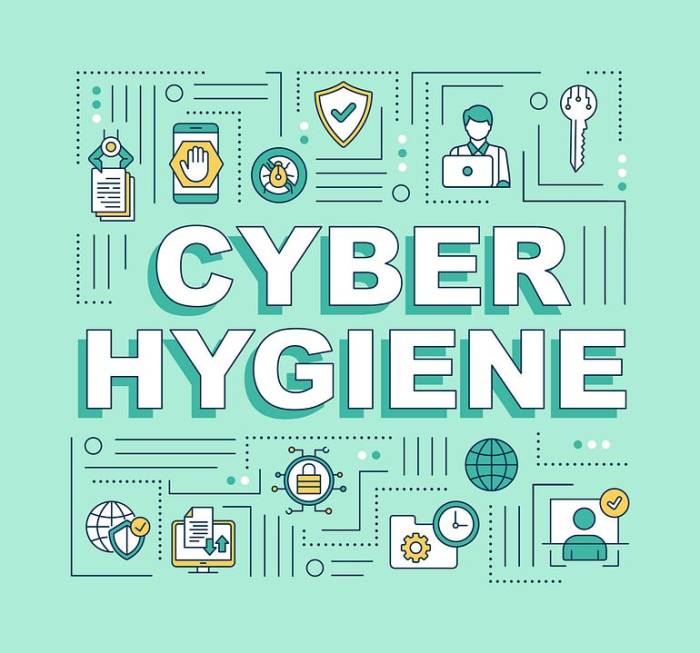
Updating software regularly is crucial for maintaining cybersecurity and protecting your digital lifestyle. By keeping your software up to date, you can ensure that any vulnerabilities or weaknesses are patched, reducing the risk of cyber attacks and data breaches.
It is essential to update the following types of software to enhance your cybersecurity:
Operating Systems
Operating systems like Windows, macOS, and Linux should be regularly updated to address security flaws and improve overall system performance.
Web Browsers
Web browsers such as Google Chrome, Mozilla Firefox, and Safari should be updated to protect against malicious websites and online threats.
Antivirus Software
Antivirus software should be updated frequently to ensure it can detect and remove the latest malware, viruses, and other cyber threats.
Using outdated software poses significant risks to your cybersecurity:
-
Outdated software may contain known vulnerabilities that hackers can exploit to gain unauthorized access to your devices or steal your sensitive information.
-
Older software versions are often not equipped to defend against new and evolving cyber threats, leaving your digital assets vulnerable to attacks.
-
Failure to update software can result in system crashes, data loss, and compromised personal and financial information.
Avoiding Phishing Scams
Phishing scams are fraudulent attempts to obtain sensitive information, such as usernames, passwords, and credit card details, by disguising as a trustworthy entity in an electronic communication. These scams can compromise your security and lead to identity theft or financial loss if you fall victim to them.
Identifying Phishing Emails and Websites
- Check the sender's email address: Be wary of emails from unknown senders or suspicious email addresses that are slightly misspelled.
- Look for generic greetings: Phishing emails often use generic greetings like "Dear User" instead of addressing you by your name.
- Verify links before clicking: Hover over links in emails to see the actual URL before clicking on them to avoid visiting phishing websites.
- Watch out for urgent requests: Phishing emails often create a sense of urgency to prompt you to take immediate action without thinking.
Importance of Caution in Sharing Personal Information
It is crucial to be cautious when sharing personal information online to protect yourself from identity theft and unauthorized access to your accounts.
- Avoid sharing sensitive information: Refrain from providing personal details like passwords, social security numbers, or financial information through email or unfamiliar websites.
- Be mindful on social media: Limit the amount of personal information you share on social media platforms to prevent cybercriminals from gathering data for phishing attacks.
- Use privacy settings: Adjust privacy settings on social media and other online accounts to control who can view your information.
Secure Internet Connections
Using secure internet connections is crucial in protecting your online data and privacy. This includes both when you are out and about using public Wi-Fi networks, as well as when you are at home on your own Wi-Fi network.When you connect to unsecured public Wi-Fi networks, you are putting your sensitive information at risk.
Hackers can easily intercept the data being transmitted over these networks, such as login credentials, personal information, and financial details. This makes it imperative to take precautions to secure your internet connection.
Using VPNs for Secure Internet Connections
- Virtual Private Networks (VPNs):A VPN encrypts your internet connection, making it secure and private. It creates a secure tunnel for your data to travel through, protecting it from prying eyes.
- Benefits of VPNs:VPNs provide anonymity, protect against cyber threats, and allow you to access geo-restricted content.
- Choosing a Reliable VPN:Ensure you select a reputable VPN provider with a "no-logs" policy to safeguard your privacy.
Tips to Secure Home Wi-Fi Networks
- Change Default Passwords:Set strong, unique passwords for your Wi-Fi network and router to prevent unauthorized access.
- Enable Encryption:Use WPA3 or WPA2 encryption to secure your Wi-Fi network from potential intruders.
- Update Router Firmware:Regularly update your router's firmware to patch security vulnerabilities and enhance protection.
- Disable SSID Broadcast:Hide your Wi-Fi network's SSID to make it less visible to outsiders.
Ultimate Conclusion
In conclusion, prioritizing top cybersecurity habits for digital lifestyle is not just a choice but a necessity in today's interconnected world. By embracing these practices and staying vigilant, you can establish a robust defense against cyber threats and enjoy a safer online experience.
Common Queries
How often should I update my passwords?
It's recommended to update your passwords every 3-6 months to enhance security and reduce the risk of unauthorized access.
What are some common signs of phishing emails?
Phishing emails often contain suspicious links, ask for personal information, or create a sense of urgency to prompt immediate action.
Why is using a VPN important for secure internet connections?
A VPN encrypts your internet traffic, shielding your data from potential eavesdroppers and enhancing your online privacy and security.






![Top Must-Have Smart Home IoT Devices [2024 Curated]](https://digital.bantenraya.com/wp-content/uploads/2025/10/aee64388c1cfecaae116a4d593f27dfa-120x86.jpg)