Exploring the realm of digital security tips for everyday life, this introduction sets the stage for a deep dive into the importance of safeguarding your online presence. From password management to phishing awareness, we unravel key strategies to protect yourself in the digital landscape.
Providing insights into the risks of poor digital security practices and the potential consequences of a security breach, this guide equips you with essential knowledge to navigate the digital world securely.
Importance of Digital Security
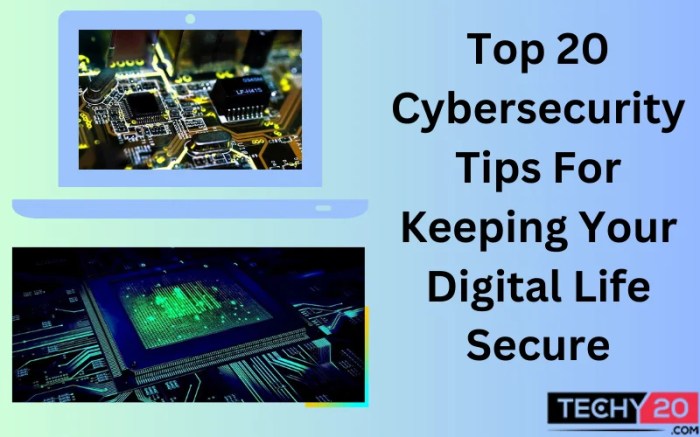
In today's digital age, maintaining strong digital security practices is essential to protect your personal information, financial data, and overall online identity.
Risks of Poor Digital Security
- Identity Theft: Hackers can steal your personal information, such as social security numbers, to commit fraud.
- Financial Loss: Weak security measures can result in unauthorized access to your bank accounts or credit card information.
- Data Breaches: Companies storing your data can be compromised, leading to exposure of sensitive information.
Consequences of a Security Breach
- Loss of Privacy: Once your data is compromised, it can be difficult to regain control over your personal information.
- Reputation Damage: A security breach can tarnish your reputation, affecting your relationships with others.
- Financial Consequences: Recovering from a security breach can be costly, both in terms of money and time.
Password Management
When it comes to digital security, one of the most crucial aspects is effective password management. Creating strong passwords, using unique ones for different accounts, and securely storing them are all vital practices to protect your online information.
Creating Strong Passwords
- Include a mix of uppercase and lowercase letters, numbers, and special characters.
- Avoid using easily guessable information like your name, birthdate, or common words.
- Make passwords at least 12-15 characters long to increase complexity.
- Consider using passphrases instead of passwords for added security.
Using Unique Passwords for Different Accounts
- Refrain from using the same password for multiple accounts to prevent a security breach in one account compromising others.
- Use a password manager to generate and store unique passwords for each account securely.
- Regularly update your passwords to reduce the risk of unauthorized access.
Securely Storing Passwords
- Utilize a reputable password manager application to securely store and manage your passwords.
- Enable two-factor authentication whenever possible for an added layer of security.
- Avoid writing passwords down on physical paper or storing them in easily accessible digital files.
- Memorize your master password for the password manager and refrain from sharing it with anyone.
Two-Factor Authentication (2FA)
Two-Factor Authentication (2FA) is an extra layer of security that requires not only a password and username but also something that only the user has on them, such as a piece of information only they should know or have immediately to hand - such as a physical token or a smartphone.
Platforms Offering 2FA and How to Enable It
Many online platforms offer 2FA as an additional security measure to protect user accounts from unauthorized access. Some common platforms that provide 2FA include Google, Facebook, Twitter, and banking institutions. To enable 2FA on these platforms, users typically need to go to their account settings, locate the security or privacy section, and follow the instructions to set up 2FA with their preferred method, such as SMS codes, authenticator apps, or hardware keys.
Benefits of Using 2FA for Online Accounts
- Enhanced Security: 2FA significantly reduces the risk of unauthorized access to online accounts, as even if a hacker manages to obtain a user's password, they would still need the second factor to gain entry.
- Protection Against Phishing: 2FA helps to mitigate the effectiveness of phishing attacks, as even if a user unknowingly provides their login credentials to a malicious website, the attacker would still require the second factor to access the account.
- Secure Remote Access: For remote workers or individuals who frequently access accounts from various locations, 2FA provides an extra layer of security to prevent unauthorized logins from unknown devices.
- Compliance with Regulations: In certain industries or organizations, using 2FA is a mandatory requirement to comply with data protection regulations and safeguard sensitive information.
Phishing Awareness
Phishing is a type of cyber attack where scammers try to trick individuals into revealing sensitive information such as usernames, passwords, and credit card details. They often do this by posing as a trustworthy entity in an email or message to deceive the recipient.
Common Phishing Tactics
- Impersonating a legitimate company or organization, such as a bank or online retailer.
- Using urgent language to create a sense of panic or fear, pushing the recipient to act quickly.
- Including links that lead to fake websites designed to steal login credentials.
- Requesting personal information like social security numbers or account numbers.
Recognizing and Avoiding Phishing
- Check the sender's email address for any discrepancies or unusual characters.
- Avoid clicking on links in emails and instead go directly to the official website by typing the URL yourself.
- Look out for spelling and grammatical errors in the message, as legitimate companies usually have professional communication.
- Never provide sensitive information over email or text, especially if it was unsolicited.
Real-Life Phishing Examples
One notorious phishing scam involved emails appearing to be from a major bank, prompting users to verify their account information on a fake website. As a result, many unsuspecting individuals fell victim to identity theft and financial loss.
Another common phishing tactic is sending emails claiming to be from a popular online shopping site, asking recipients to update their payment details. Those who fell for this scam ended up compromising their credit card information to cybercriminals.
Software Updates
Keeping software up to date is crucial for maintaining digital security. Software updates often include patches for security vulnerabilities that cybercriminals can exploit to gain unauthorized access to your devices or steal your personal information.
Enabling Automatic Updates
One way to ensure your operating system and applications are always up to date is by enabling automatic updates. This feature allows your devices to download and install the latest patches and fixes without requiring manual intervention.
Risks of Using Outdated Software
Using outdated software can expose you to various security risks. Cyber attackers can take advantage of known vulnerabilities in older versions of software to launch attacks such as malware infections, data breaches, or identity theft. It is essential to regularly update your software to protect yourself from these threats.
Ultimate Conclusion
In conclusion, embracing these digital security tips can empower you to stay safe and secure online. By implementing robust password practices, enabling two-factor authentication, and staying vigilant against phishing attempts, you can fortify your digital defenses and protect your valuable information.
Stay informed, stay secure.
FAQ Corner
How can I create strong passwords?
To create strong passwords, use a combination of letters, numbers, and special characters. Avoid using easily guessable information like birthdays or names.
What is Two-Factor Authentication (2FA) and why is it important?
2FA adds an extra layer of security by requiring users to provide two different authentication factors. This significantly reduces the risk of unauthorized access.
Why are software updates important for digital security?
Software updates often contain patches for security vulnerabilities. Keeping your software up to date helps protect your devices from potential cyber threats.






![Top Must-Have Smart Home IoT Devices [2024 Curated]](https://digital.bantenraya.com/wp-content/uploads/2025/10/aee64388c1cfecaae116a4d593f27dfa-120x86.jpg)